Heating pad or coil to deal with spring extremes
Author of the solution (idea): Ondřej Hercog and Karel Kučera
Tested in practice: YES – tested in the 2021 season and in the winter of 2021-22
Testing results: very good results
Group of breeders for whom the tool is suitable : due to the presence of 220V voltage = only at your own risk
Justification: an attempt to create regulated heating with a thermostat that will prevent the nest from cooling down in the spring months, but at the same time does not heat when it is not necessary = simulation of conditions in the country
Note: the solution is one of the options for improving the thermal comfort of the hive for bumblebees, which was successfully tested by the Čmeláci PLUS group
Last updated: 11/2/2022
Heating hives for bumblebees – an introduction to the issue
However, we would like to point out that this is a solution that uses 220V voltage, so we cannot recommend it.
If anyone uses our experience, they do so at their own risk.
Heating the hive with a heating plate and temperature control
Material used
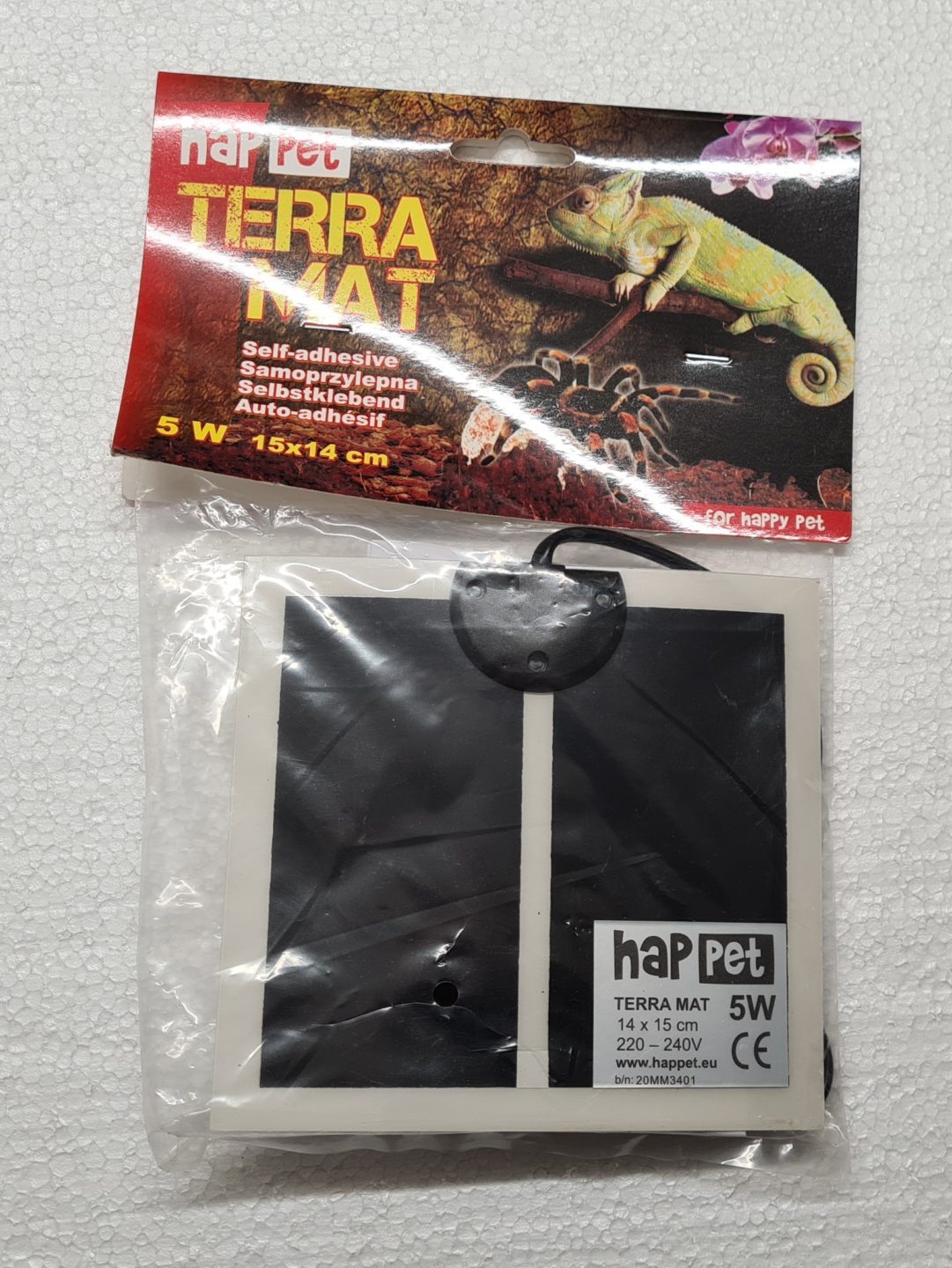
- Heating plate – in our case Terra MAT HapPet 14×15 cm, power supply 220V
- Digital thermostat (-50 to +110°C) XH-W3001 220V
- Terminal block (EM)
- Plastic industrial protection box at least IP54 (transparent / opaque)
- dimensions at least 100 x 100mm, height at least 60 mm - Cable gland / gland PG 9
- Power cable 220V rubber (plug)
- Double-sided adhesive tape (good quality)
We also used for exterior wiring:
- Rubber extension cable
- Extension cord – IP44
Comment
- This particular heating plate is used because its surface temperature does not exceed 35°C and does not endanger bumblebees even in direct contact; other plates of the same power reached higher surface temperatures, and
we also got the heating cables for it at https://allegro.pl/ - The 220V digital regulator is commonly available on the internet, prices vary in multiples of ... and delivery time, they also have other power supplies, this one is 220V
- plastic box with IP54 protection with a transparent lid, but its price is higher (here 250 CZK), there are more suppliers, prices vary
- we looked for products with an IP54 protection rating, i.e. protection against dust ingress and splashing water from all angles
- Rubber robust cables were used as weather resistant, we didn't skimp here

Terra MAT HapPet heating plate 14 x 15 cm 220V
Photo: O. Hercog 2021

Digital thermostat XH-W3001 220V
Photo: O. Hercog 2021
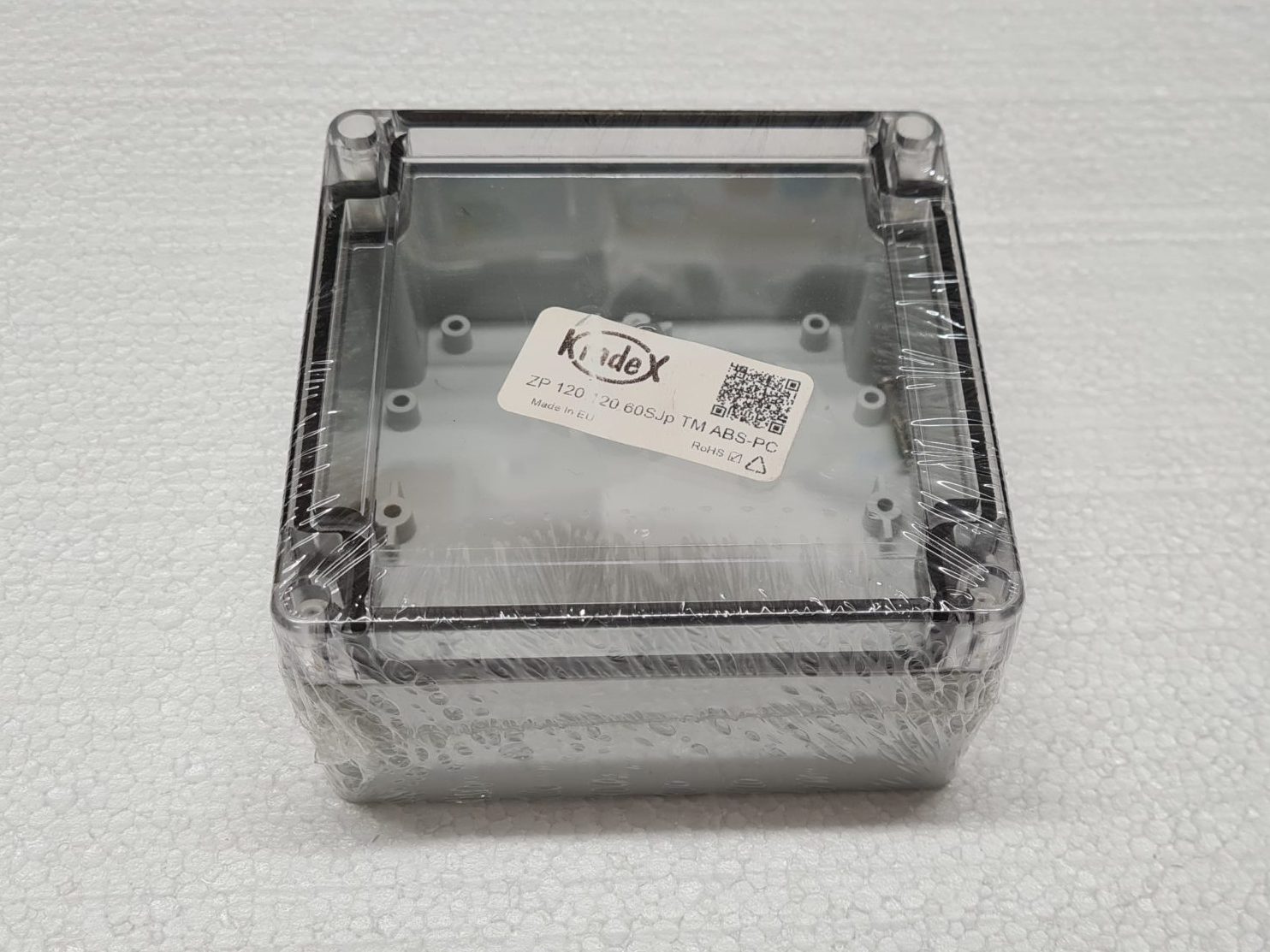
Plastic box IP54
Photo: O. Hercog 2021
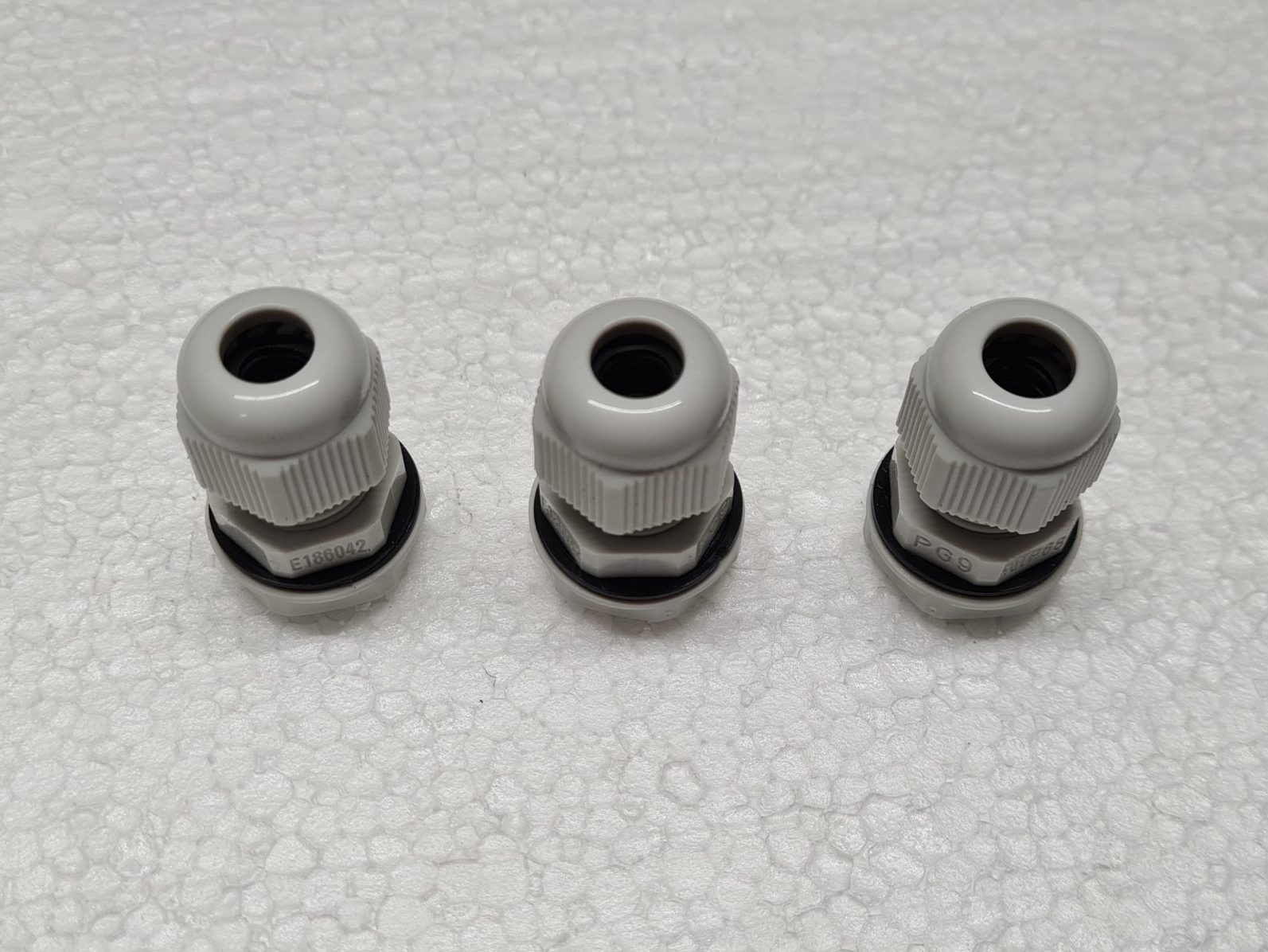
Cable gland PG 9
Photo: O. Hercog 2021
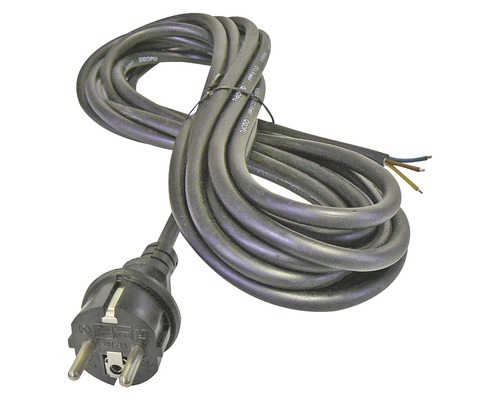
Power cable 220V rubber
Photo: manufacturer
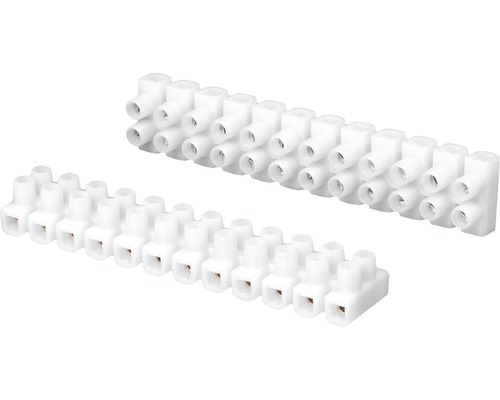
EM terminal block
Photo: manufacturer
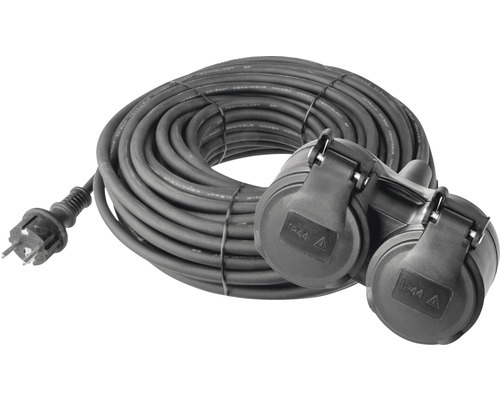
Rubber extension cable – IP44
Photo: manufacturer
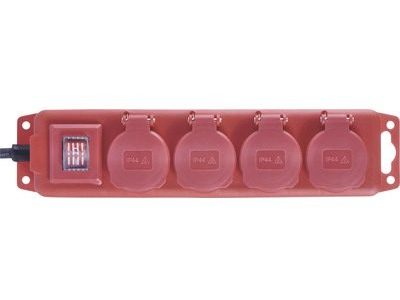
Extension cord 4 sockets – IP44
Photo: manufacturer
Completion
Test installation
- We tested the connection "dry", thanks to which we found an error on the controller label
- Comrades from China toyi6 made a mess and switched labels - it was solved by reading the paper instructions
- After the correction everything worked... ufff

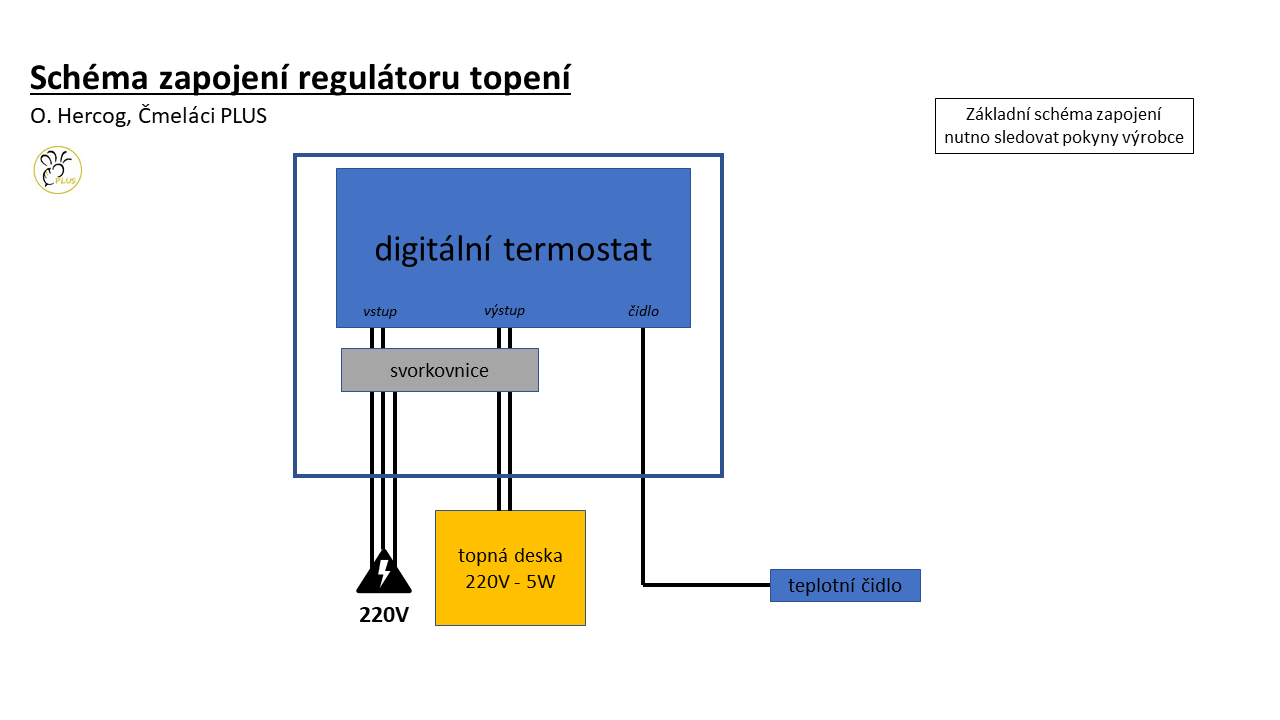
Heating scheme with a heating plate
Source: O. Hercog 2022
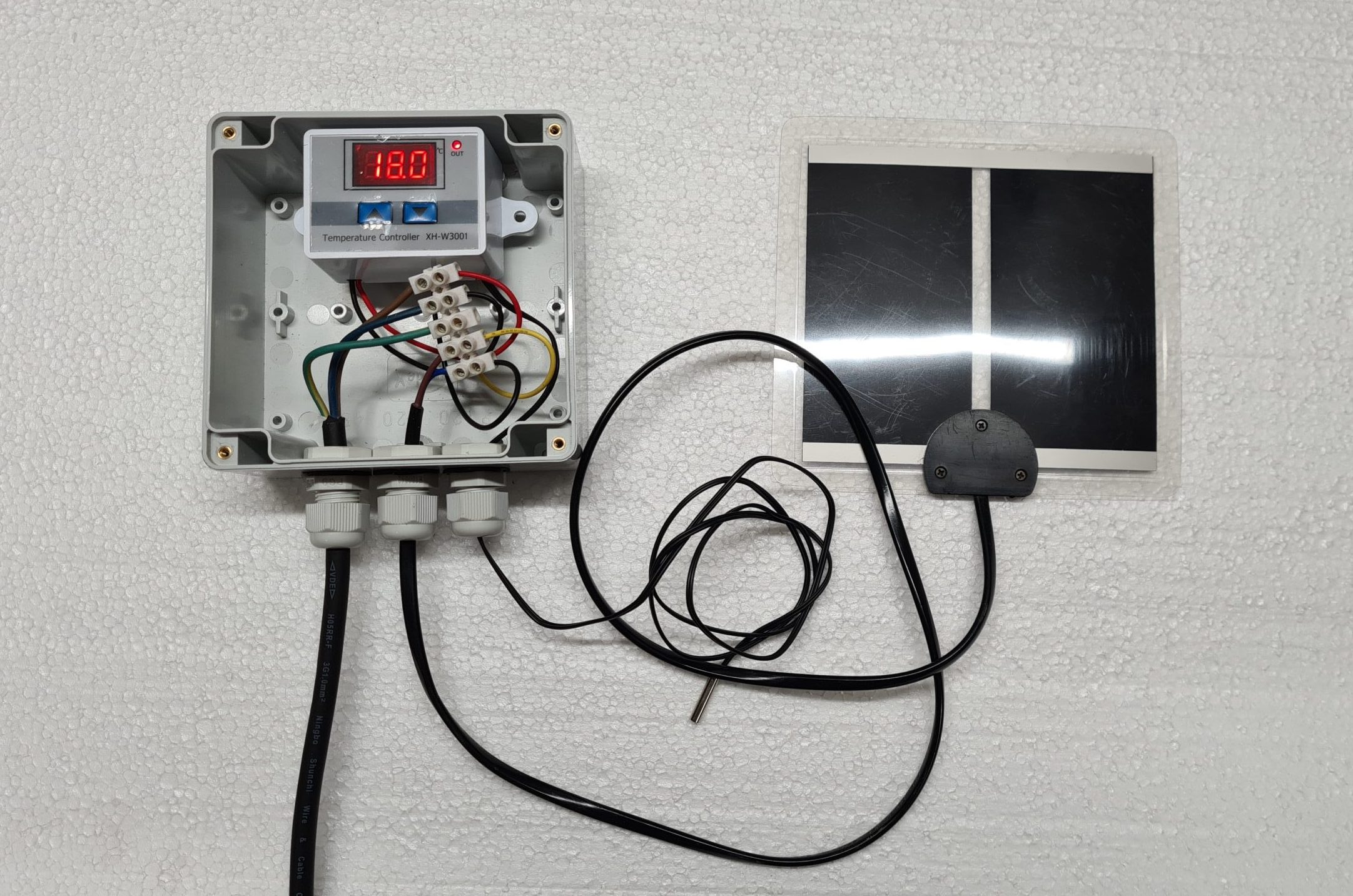
Connecting the thermostat and heating plate
Photo: O. Hercog 2021

Digital thermostat - back side (incorrect labels on the controller)
Photo: O. Hercog 2021
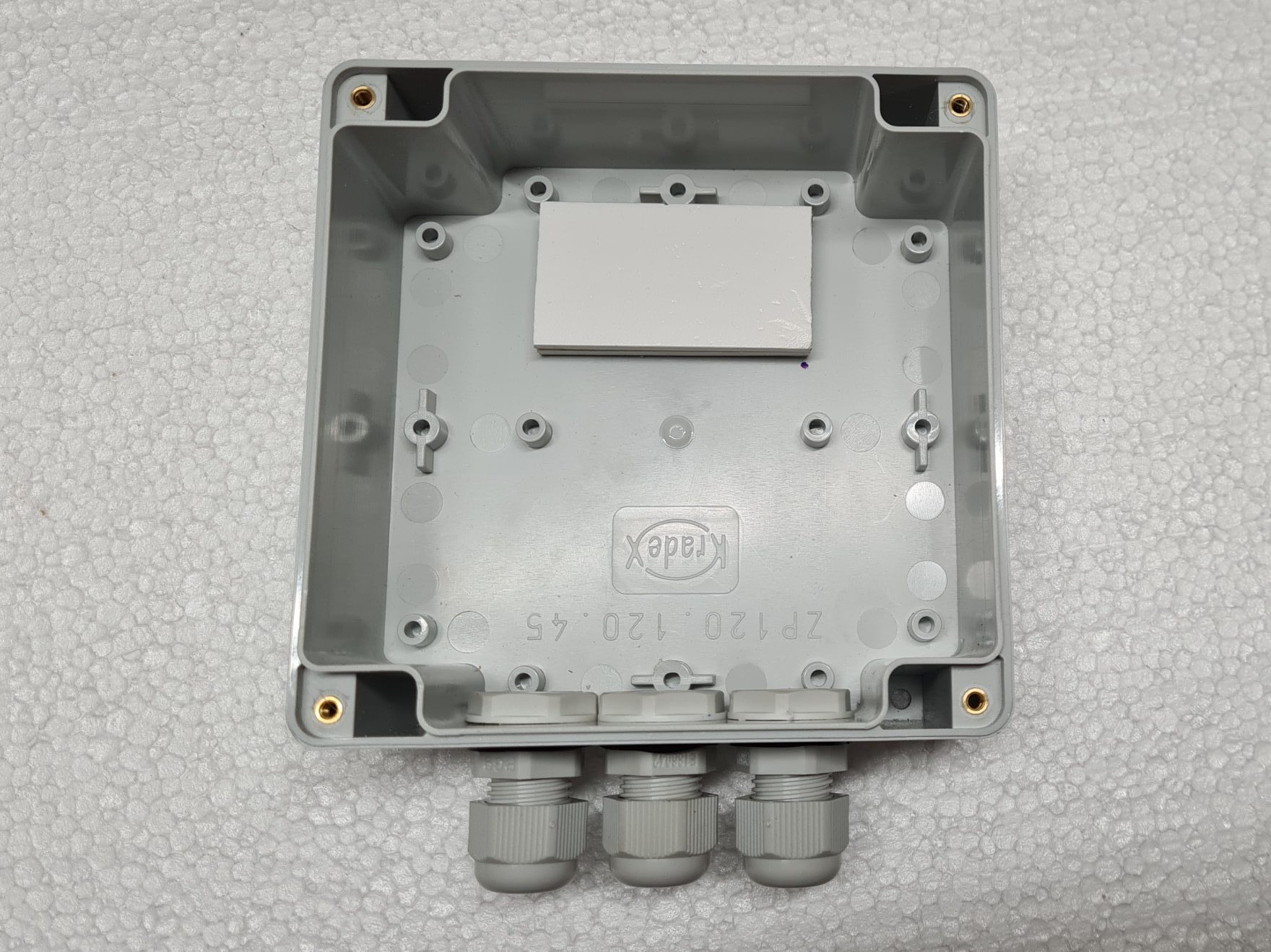
Installation box
- Holes for grommets were drilled into the box
- We used 3 grommets to ensure a good seal for the cables (it is sealed by tightening the grommet)
- The holes are located on the bottom of the box to prevent water from leaking through (see photo)
- The thermostat is attached with double-sided tape; a plastic pad was attached to the box with the same tape to preserve the mounting lugs on the bottom of the box

Pad under the thermostat
Photo: O. Hercog 2021
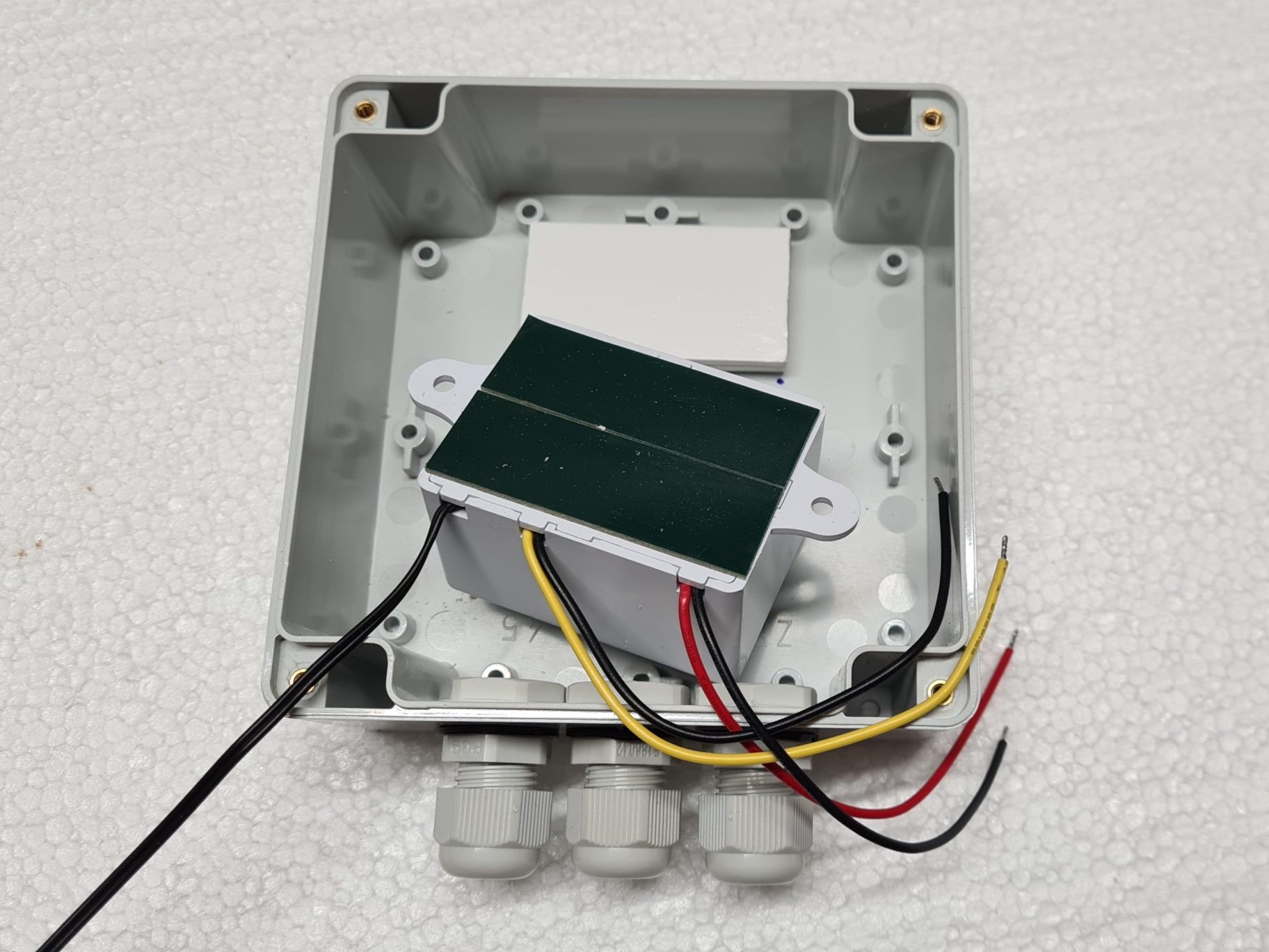
Bottom of the thermostat with double-sided adhesive tape
Photo: O. Hercog 2021
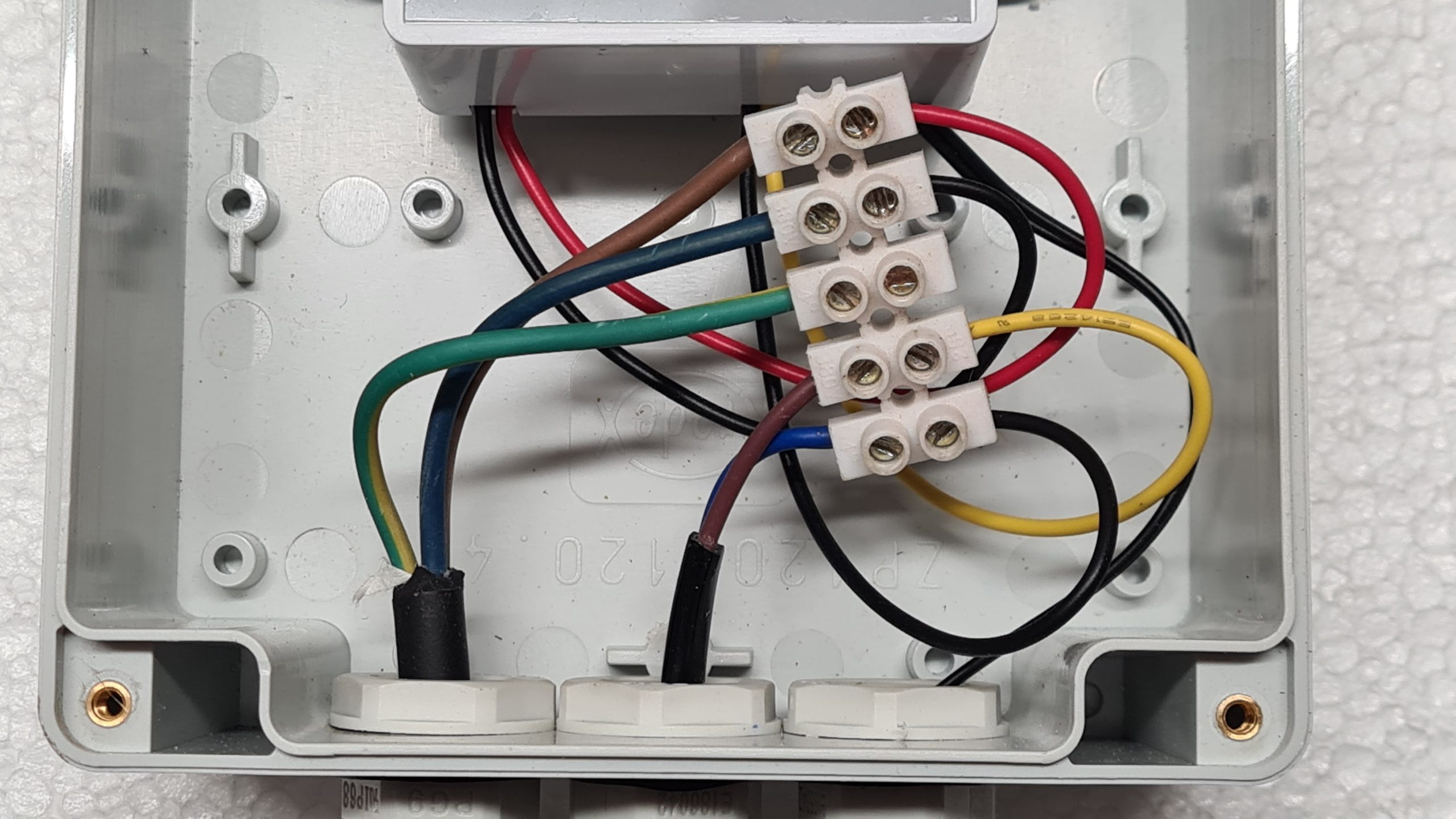
Construction
- The heating plate had a plug at the end, we cut it off but did not shorten the cable
- We modified the ends of the cables (tinned the cut ends) where necessary)
- We pulled the cables through the grommets
- Connected in the terminal block according to the verified diagram

Thermostat connection
Photo: O. Hercog 2021
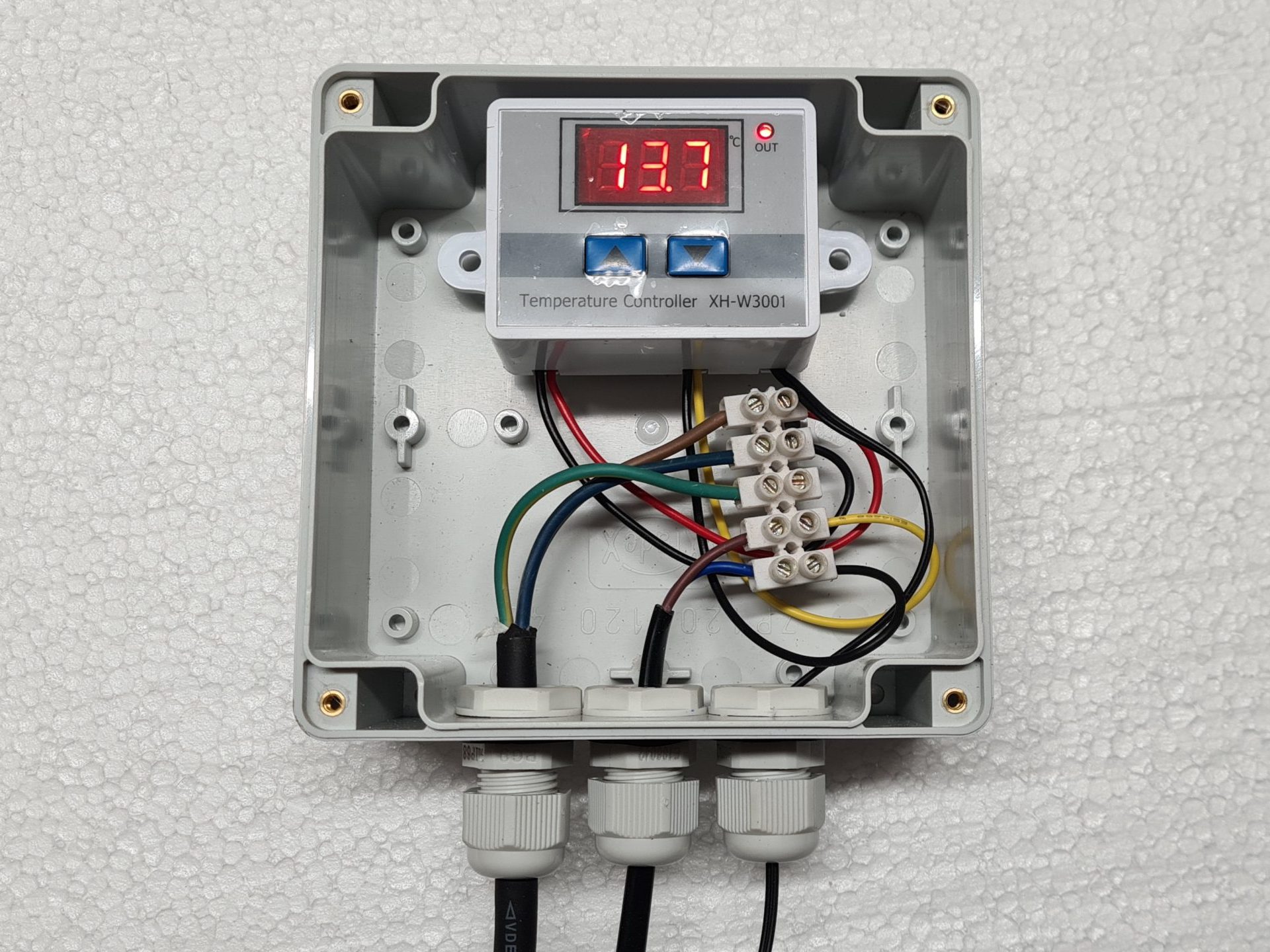
Thermostat connection
Photo: O. Hercog 2021
Completion of assembly
- We straightened the cables
- They tightened the grommets to make the cables tight
- They cut a piece of plastic sheet and covered the wiring
- According to the instructions, set
– upper temperature (heating turns off)
– lower temperature (heating turns on) - They verified the functionality
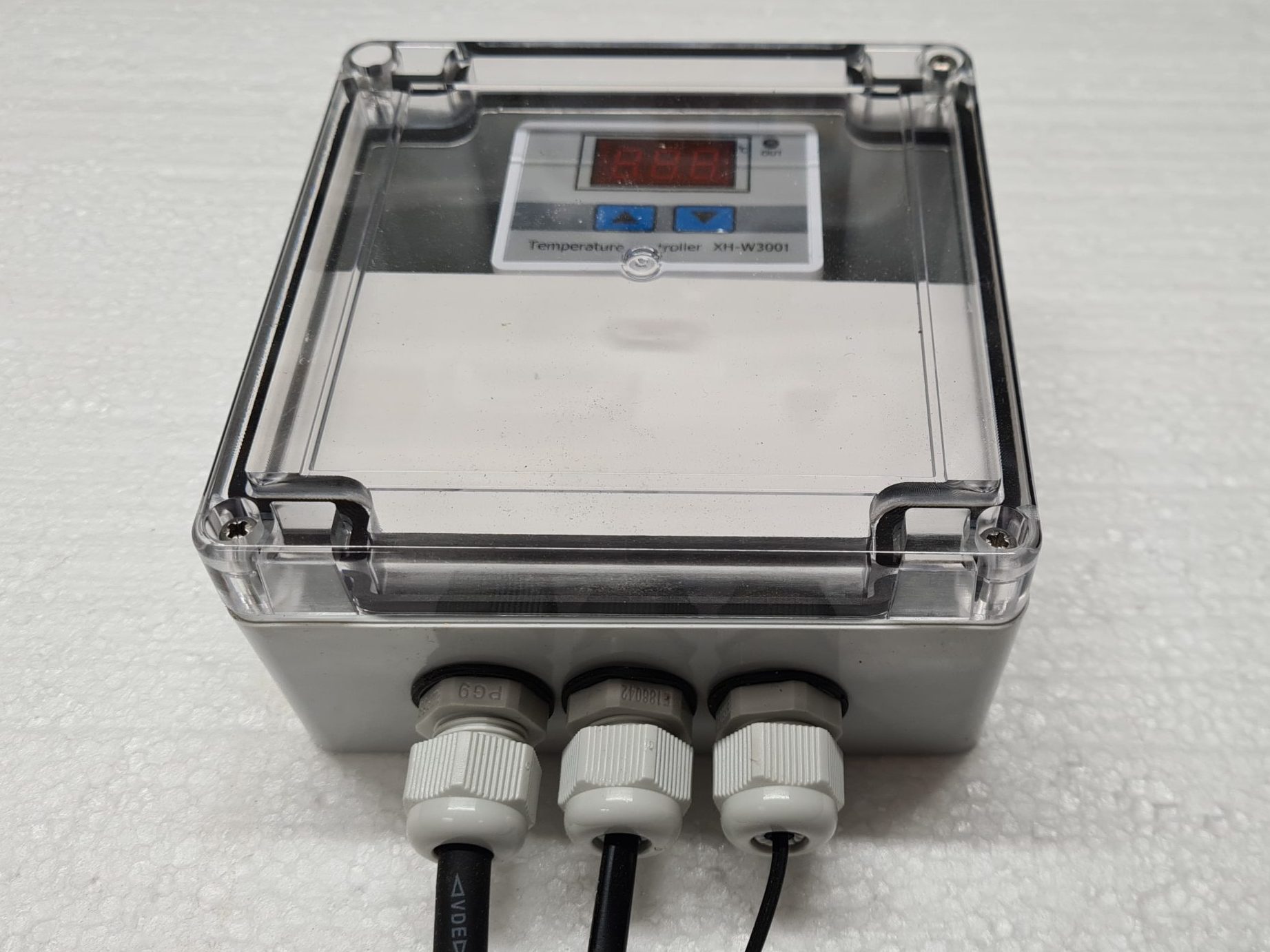
- We closed the box with a lid and screwed it on
- If you have a bag of Silica Gel (a moisture absorber), place it in the box before closing it
- Do not drill unnecessary holes in the box, make sure it seals well
- Mounting holes can be found in the bottom

Thermostat in a box – Photo: O. Hercog 2021
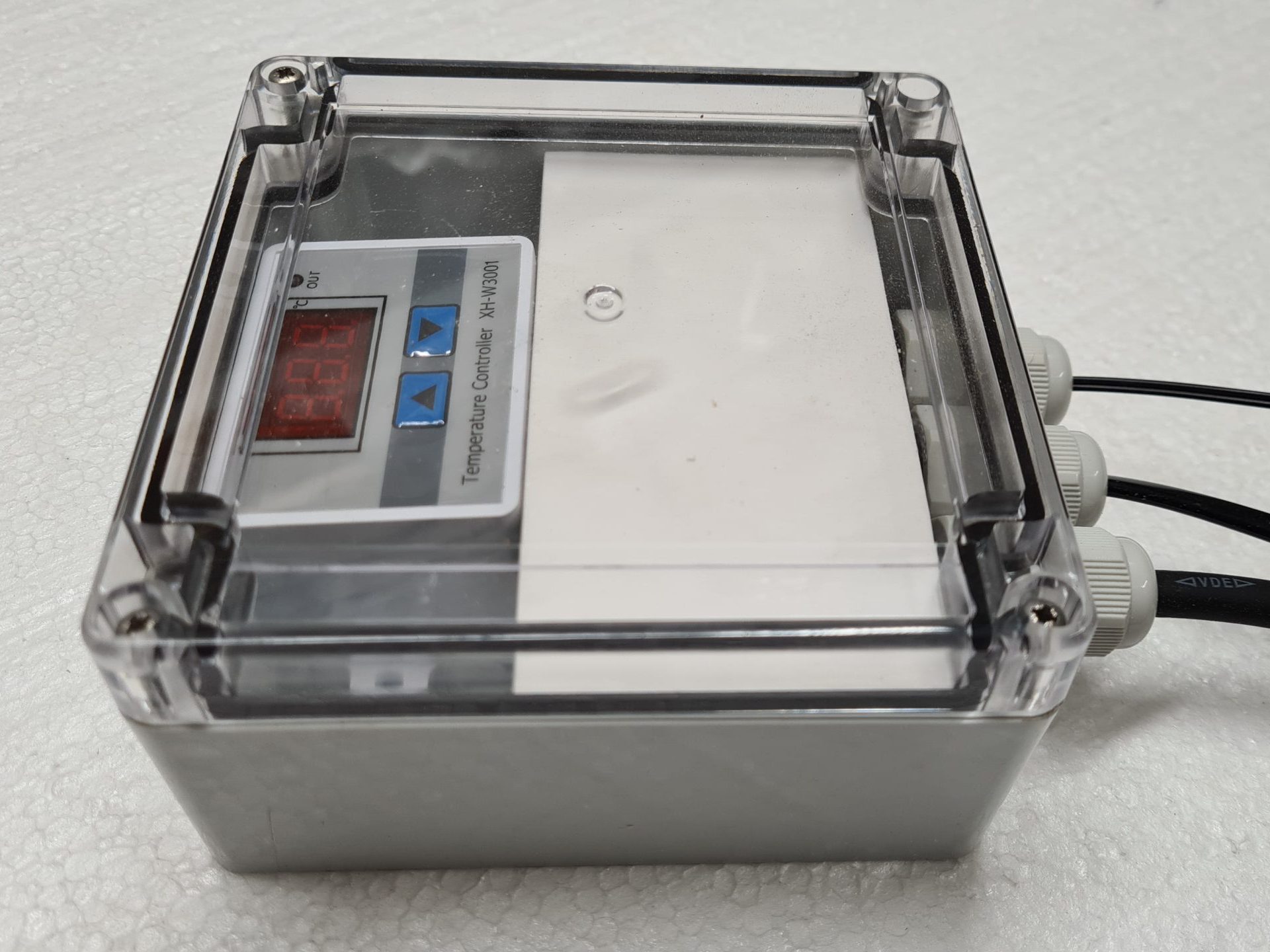
Thermostat in a box
Photo: O. Hercog 2021
Mounting the regulator on the riser
- We disconnected the heating plate and placed it in the hive on a selected wall - away from the mouth of the inlet pipe.
- We pulled the power cable out through the modified ventilation hole. We use ventilation from HT pipes , there it was enough to make a notch for the power cable and also for the cable with the sensor.
- We connected the power cable to the controller
- They dragged the sensor into the hive
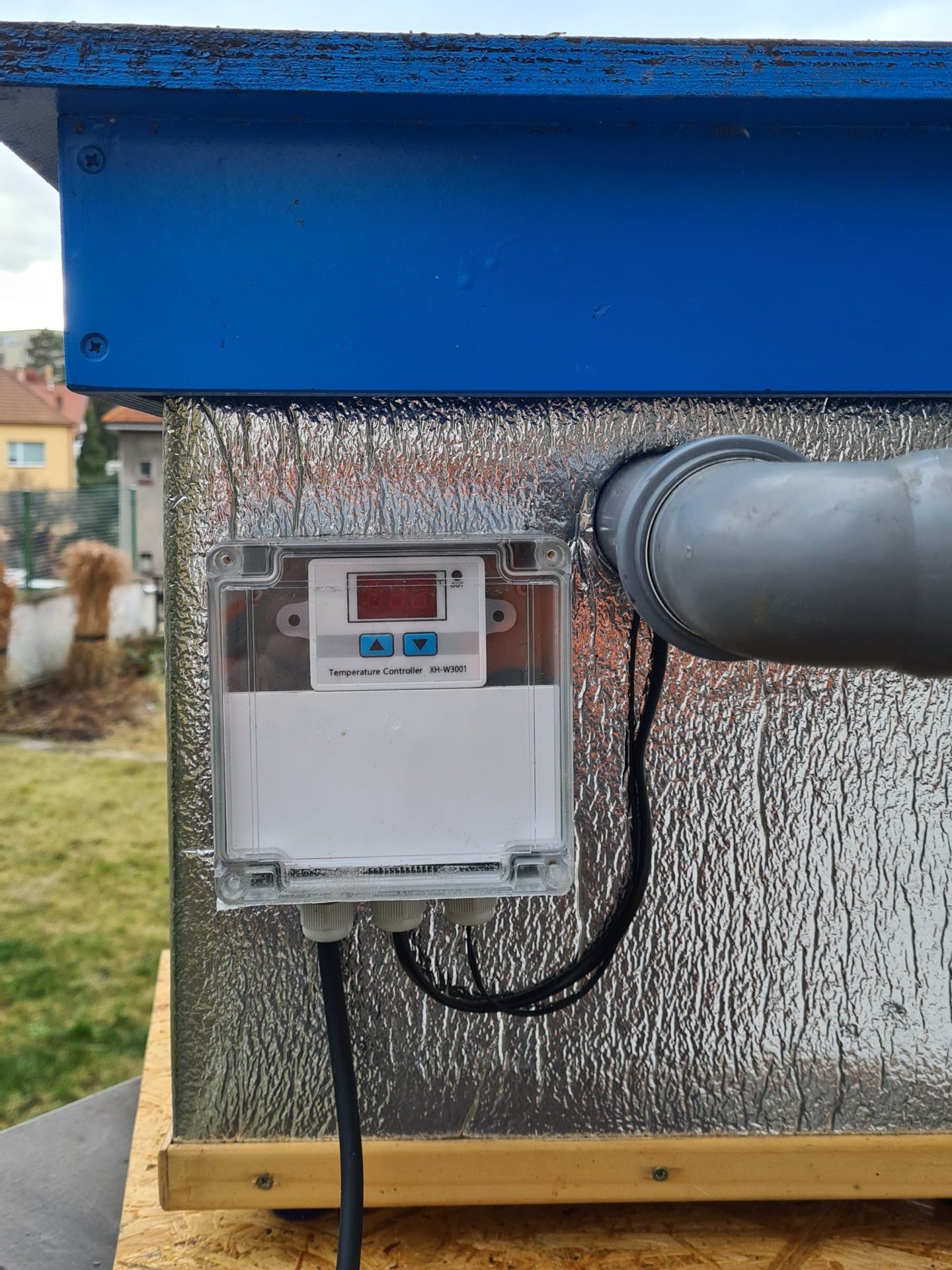
- We screwed the box with the regulator to the roof with 2 screws so that it would not interfere with closing the roof.
Note
- The regulator lights up when powered and shows the temperature in the hive, so we put the box on the side wall of the hive

Regulator in a box on the wall of the hive
Photo: O. Hercog 2021
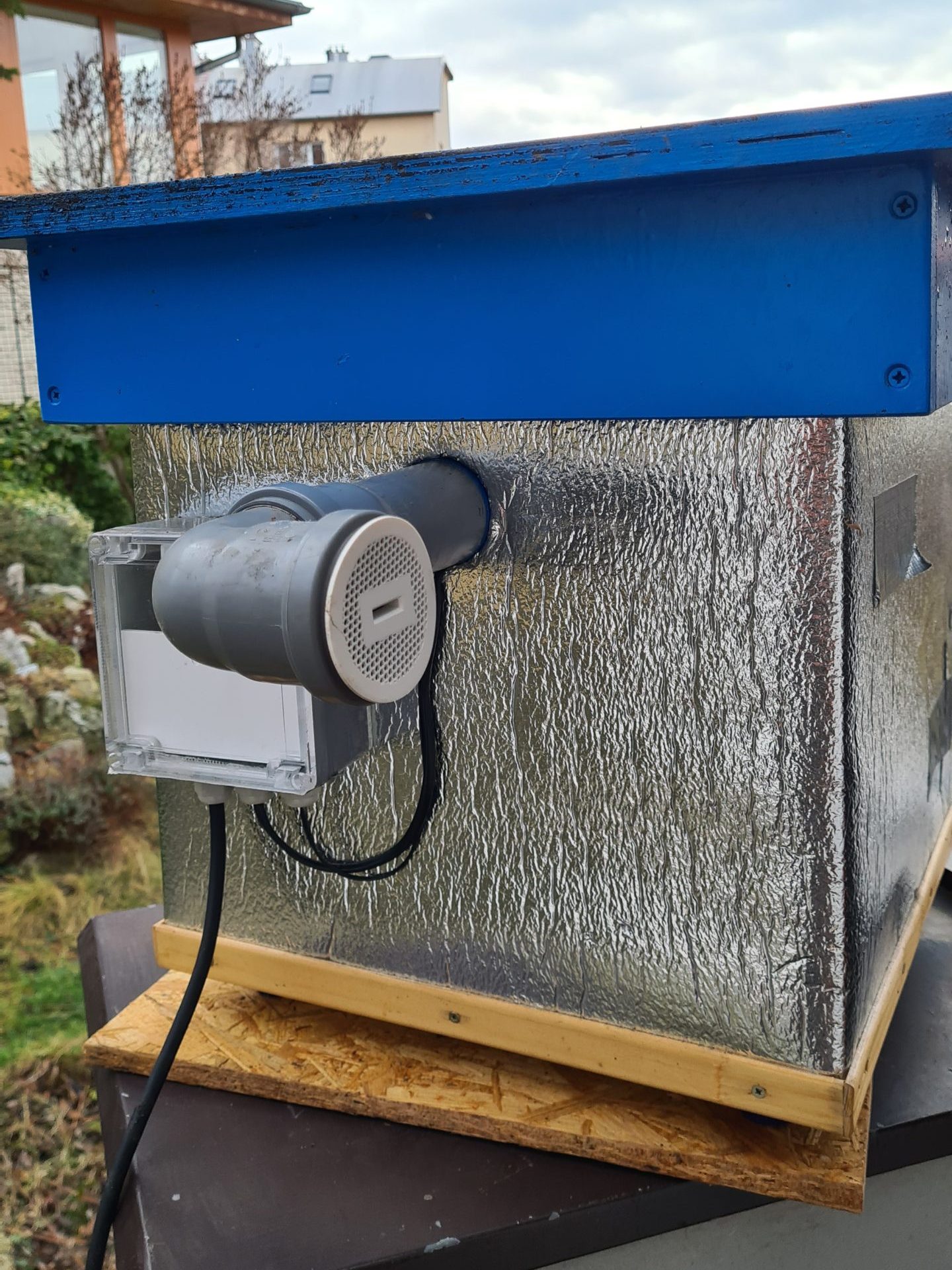
Regulator in a box on the wall of the hive
Photo: O. Hercog 2021
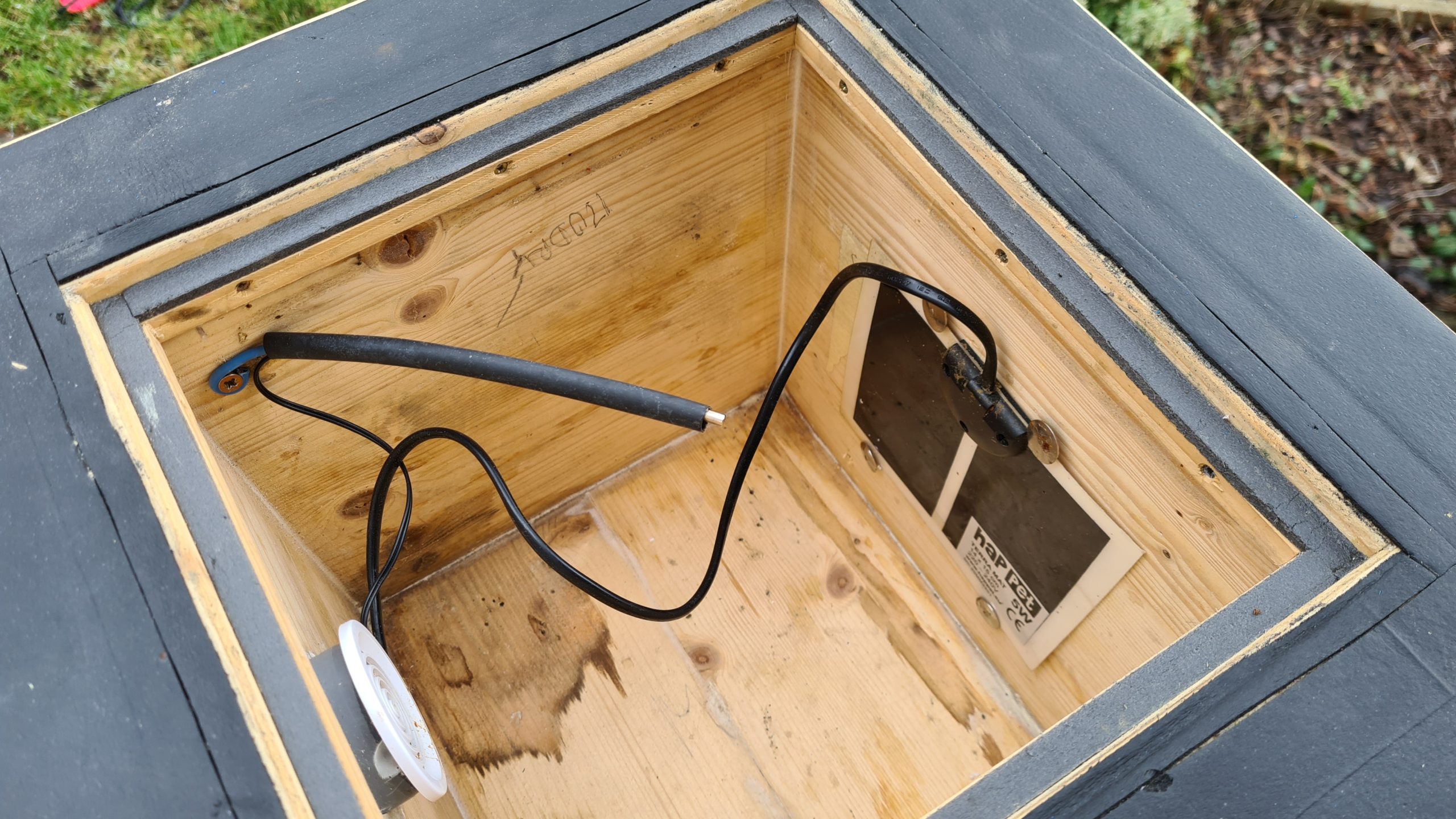
Installation of heating plate, sensor and cables
- For assembly, we used large push pins , behind which we placed the cables and the board - without piercing them.
- The heating plate was placed on the wall so that it was completely covered by the lining.
- Caution – the heating plate must not be placed on the bottom as it could dry out the brood if the mother starts building a nest on it
- the cables so that they could be easily covered with adhesive tape (the silver one for everything)
- We placed the temperature sensor on a hanger made of thicker wire - see Pavlína Krčová's idea.
- We installed an HT pipe in the ventilation and sealed the leaks with silicone.
Note
- The sensor should be placed in the center of the air space between the roof and the lining.
- We used copper wire, it was easy to adjust the sensor position
- In the photos, the cables are not taped over so you can see where we routed them

Heating plate and temperature sensor
Photo: O. Hercog 2021
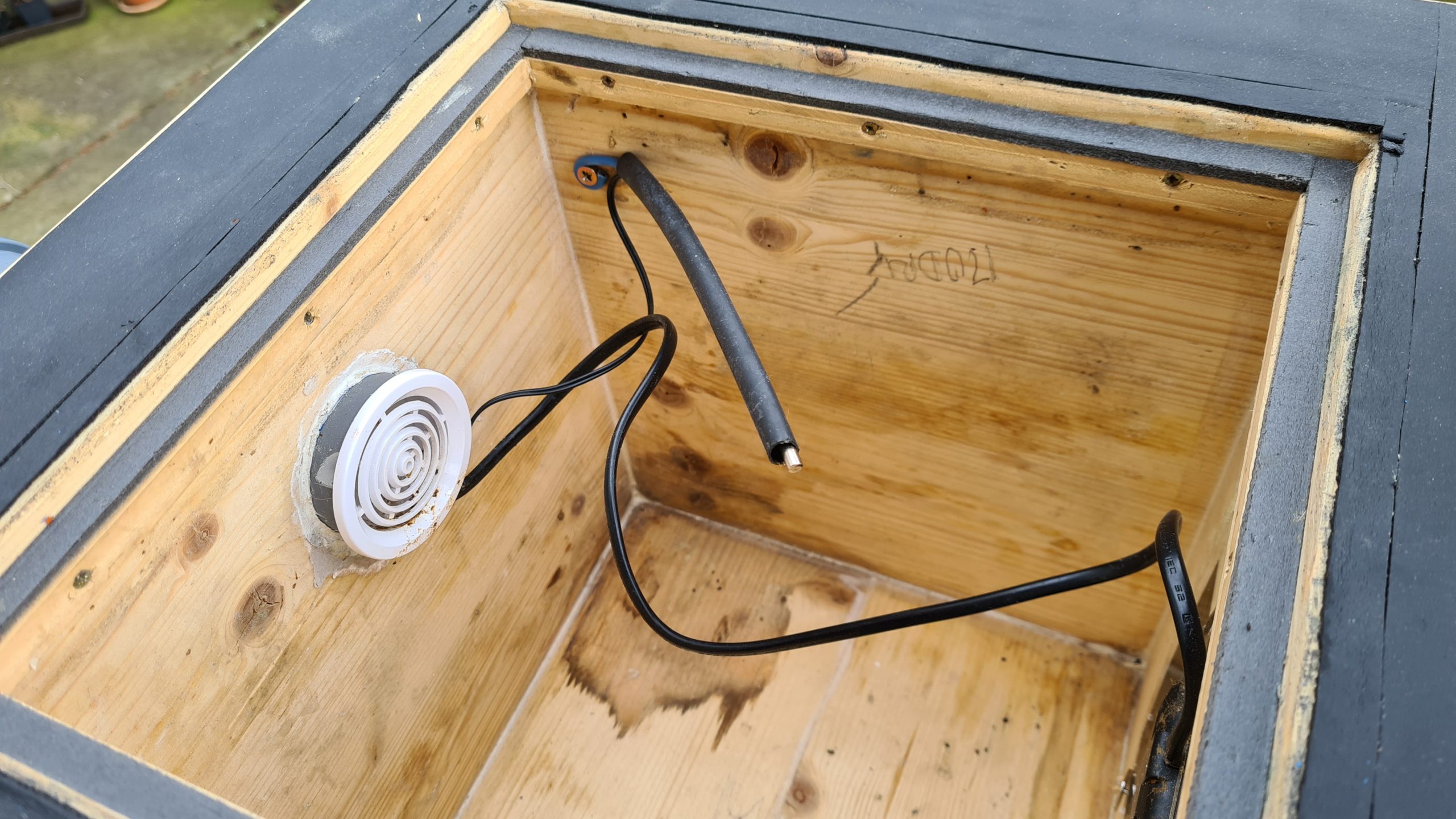
Heating plate and temperature sensor
Photo: O. Hercog 2021
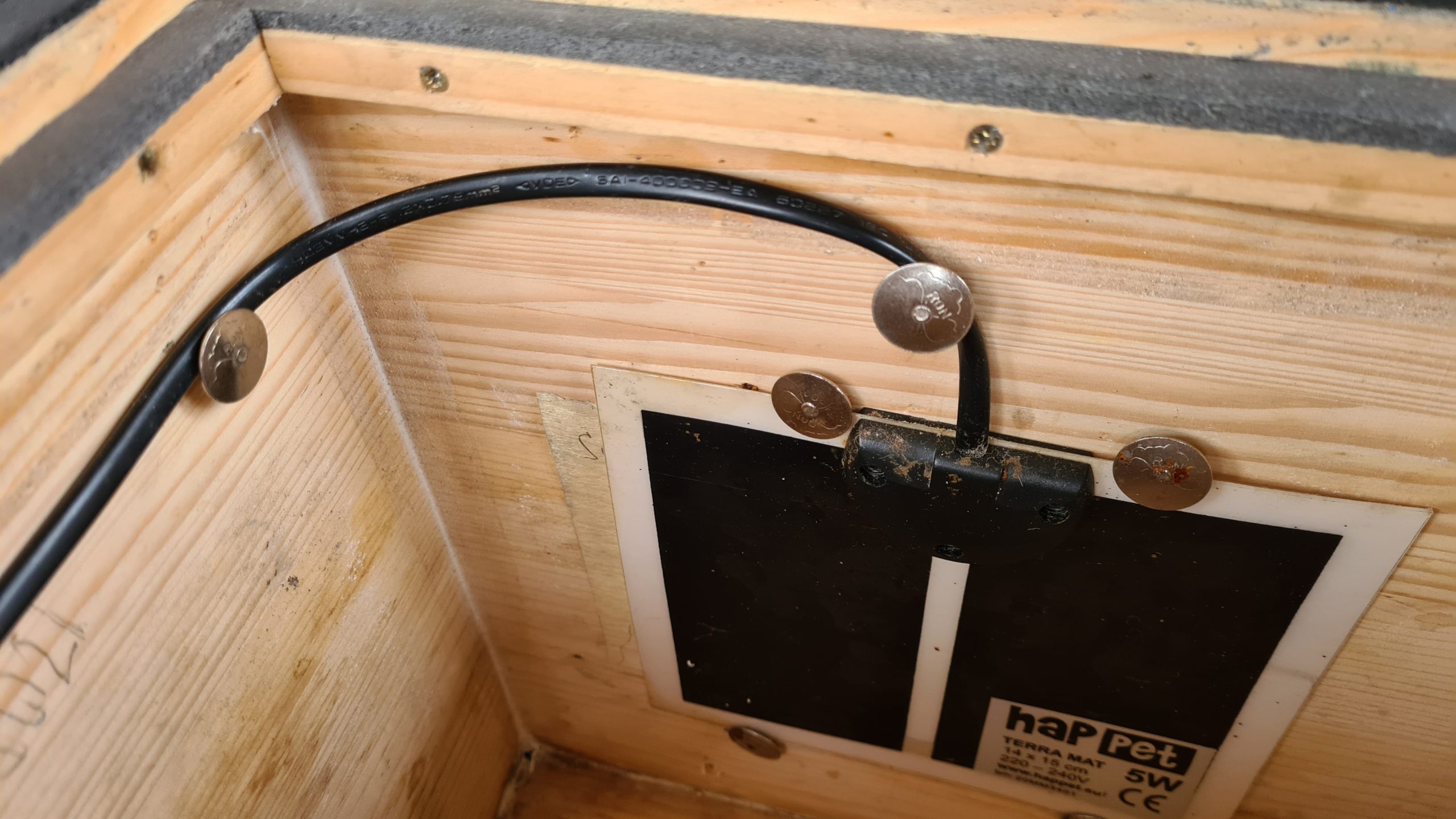
Attaching the heating plate with tacks without piercing
Photo: O. Hercog 2021
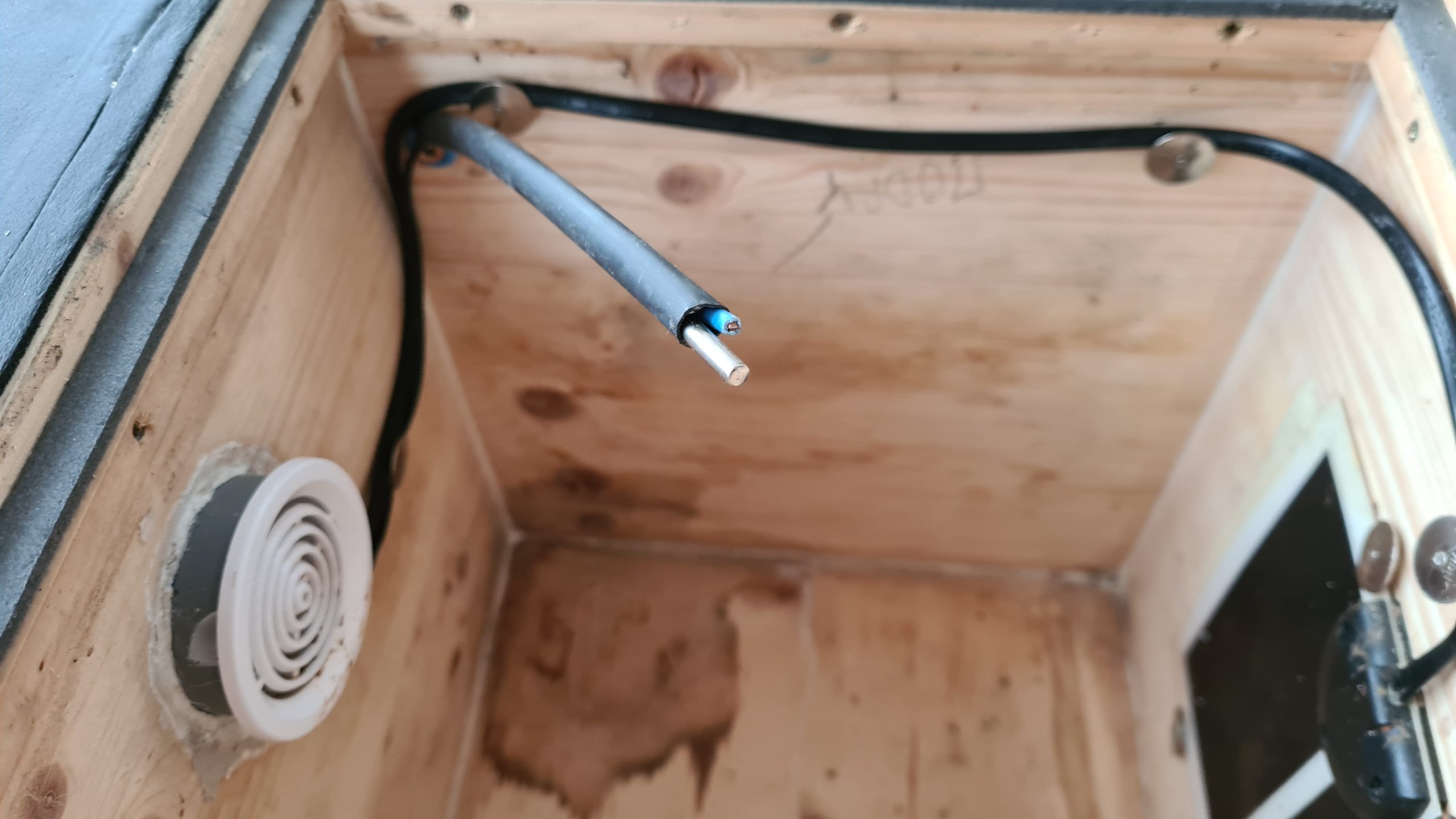
Temperature sensor
Photo: O. Hercog 2021
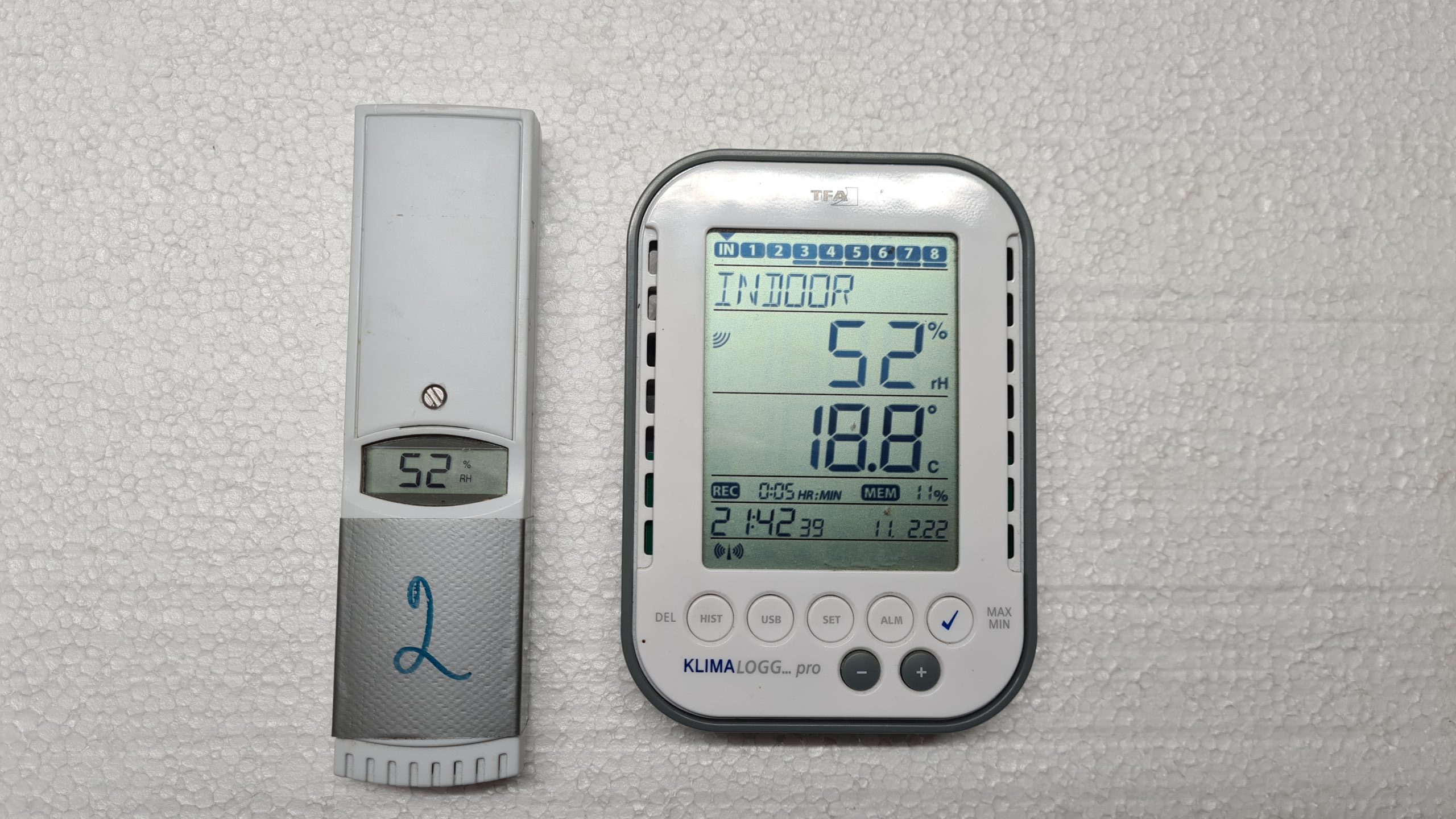
Thermostat temperature setting
In practice, this setting has worked well for us:
- lower temperature to 4 – 6°C – at this temperature the thermostat switches on and the plate heats
- upper temperature 8 – 10°C – at this temperature the heating turns off
These temperatures seemed optimal to us and have proven themselves in practice .
A larger temperature difference means greater fluctuations and we do not recommend a difference between the upper temperature, a difference of up to 4°C is optimal according to tests. In our case, the temperature was set to 6 – 8°C
Justification
If the nest is in the ground/in a wall, the temperature there will not drop much with a short drop in the outside temperature and the nest will not freeze.
In the hive, when the temperature drops, the heating is turned on and the temperature moves within the set range. If the ambient temperature exceeds the upper set temperature, the heating is turned off and the hive behaves according to how well it is insulated against higher temperatures.
Thanks to the small difference between the lower and upper temperatures in the hive, there are no fluctuations and sudden changes in temperature. The conditions are closer to those in nature, and that was our goal.
As we wrote above, we don't think it makes sense to heat the hive to a higher temperature. The queen should behave according to the temperature outside. If it's cold outside and there's no food, there's no point in activating her with unnecessary heating.
Of course, if it's cold outside and she can't fly, it's a good idea to carefully feed her some food . You can read about that HERE
Solution tests
The solution was successfully tested on 4 hives in the 2021 season.
Queens were settled in all hives equipped in this way in the spring. Thanks to the regulated heating, the hives were left outside even when the temperatures dropped below 0°C , even when it snowed.
The queens were given supplementary food in the form of a sugar solution. All nests survived and developed successfully .
At the turn of 2021-2022, we conducted further tests - on empty hives, without bumblebees.
We included several types of hive in the test, only one had a solution with a heating plate and regulation (described above).

Temperature measurement kit
Photo: O. Hercog 2021
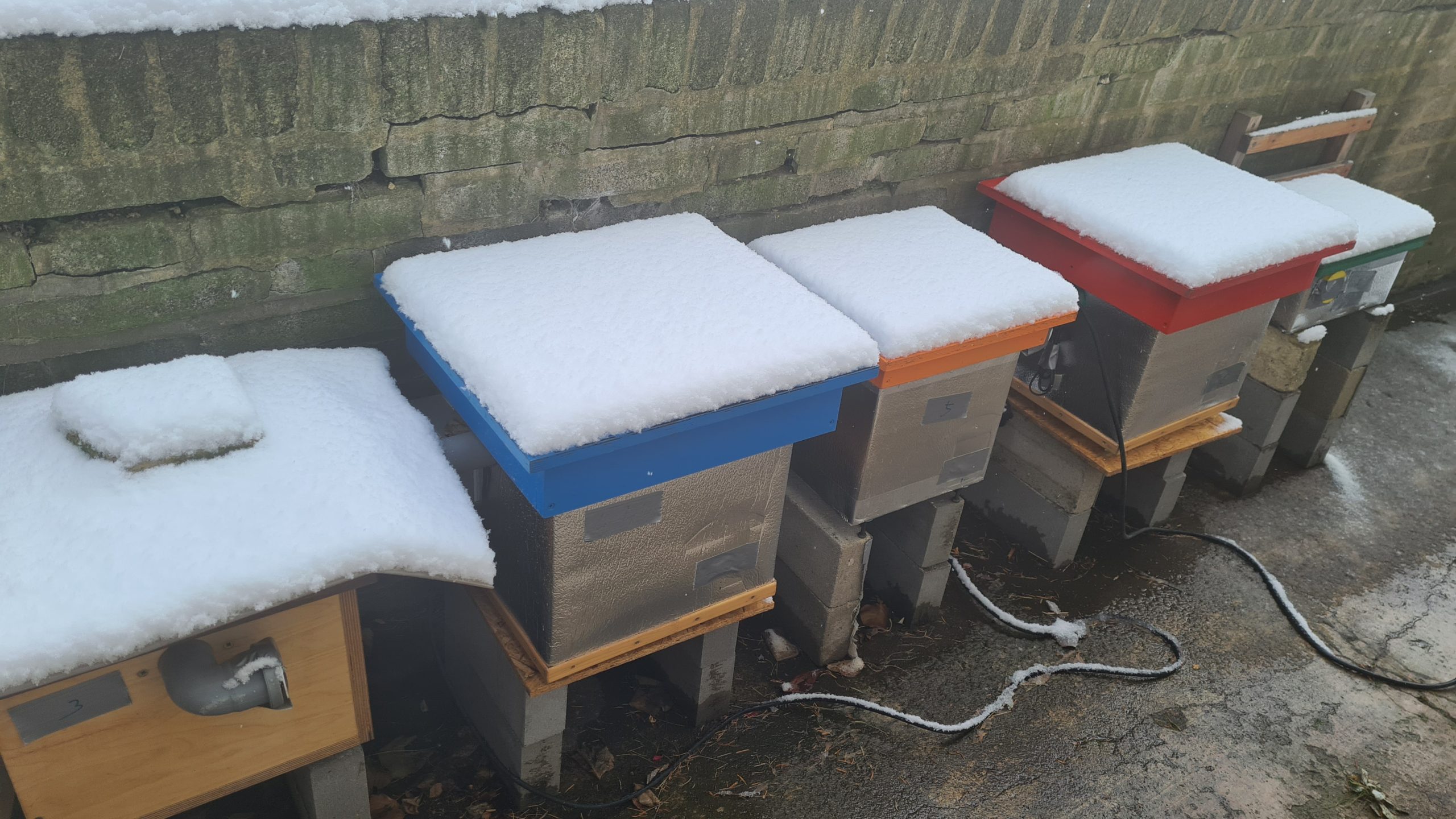
Measuring temperatures in hives
Photo: O. Hercog 2021
Winter 2021-2022 test results
Measurement conditions
- A shelter with thermal insulation was used according to our modifications, described HERE
- The controller was set to heating in the range of 6-8 °C
- The regulator sensor was at the intended height above the lining (the compartment was empty – without lining)
- The measuring sensor was about 20cm lower, in the imaginary center of the lining - this is why the temperatures are slightly different
- Temperatures were measured every 5 minutes for almost 3 months
- Data collection via DataLogger XXXX
the results in the attached graph.
Description of Chart 1
- the gray curve is the outdoor temperature
- The blue curve is the temperature in the hive with heating
Summary:
The temperature in the hive did not drop below 5°C even when the outside temperature was -6°C
Under these conditions, 5W of power was enough to keep the hive from freezing, even during frost and snow lying on the hive

Graph 1 – Measuring temperatures in the hive with a 5W heating plate and a digital thermostat XH-W3001 220V
Measured by O. Hercog
Graph 2 shows a time slice from the same measurement.
It can be seen here that the controller has maintained the temperature within the desired range .
It can also be seen here how the temperature in the hive follows the outside temperature if the heating is turned off after reaching the upper limit. However, thanks to the good properties of the hive, the temperature change is not so rapid.

Graph 2 – Measuring temperatures in the hive with a 5W heating plate and a digital thermostat XH-W3001 220V
Measured by O. Hercog
Graph 3 is the same measurement.
Only the temperature profiles in hives of different types :
- Commercially available skunk (small volume)
- Commercially available single-walled hive
- Commercial double-walled shed
- etc.
All types of hives replicated the outside temperature . The rate of change corresponded to thermal insulation properties and thermal inertia (this cannot be distinguished in this graph layout, we will discuss the topic elsewhere.
Only a hive with a heating plate and regulation prevented the hive and the intended nest in it from freezing. If there was a mother in the hive and her nest in the lining, under such conditions she would have lasted for some time with food in the nest chamber.
In the first phase, mothers build a very small nest chamber to have a chance to cope with temperature fluctuations. However, this is not always enough. However, if she were in a hive without heating, she would probably not be able to keep the brood at a sufficient temperature for several days of temperatures around 0°C.

Graph 3 – Temperature measurement in a hive with a 5W heating plate and a digital thermostat XH-W3001 220V – comparison with other hives – Measured by Ondřej Hercog
Conclusion
The solution proved to be functional . The original concerns about the regulator's lifespan were dispelled - thanks to the well-sealed box, it lasted a whole year outside without any damage.
In our case, this solution will allow us to leave occupied hives outside without any worries down to temperatures of -10°C.
The only disadvantage and risk is the presence of 220V voltage. Due to this, it is not possible to offer this solution as a universal solution and its use is only at your own risk.
